YouTube Ads: A Beginner’s Guide to Getting Started in 2025
Updated: July 31, 2025
Thank you for reading this post, don't forget to subscribe!If you’re trying to grow your business online, YouTube Ads might be your untapped goldmine. With over 2.7 billion monthly active users, YouTube isn’t just for watching music videos or tutorials — it’s a powerful platform where smart businesses are capturing attention and generating leads every single day.
Let’s break down what YouTube Ads are, how they work, and how you can launch your first campaign in 2025 — even if you’re a beginner.
What Are YouTube Ads?
YouTube Ads are video-based advertisements that appear before, during, or after videos on YouTube. They’re managed through Google Ads, which means you get access to powerful targeting options based on age, location, interests, keywords, and even what people are watching.
Types of YouTube Ads:
- Skippable In-Stream Ads – Viewers can skip after 5 seconds (great for brand awareness).
- Non-Skippable Ads – Must be watched fully (usually 15–20 seconds).
- Bumper Ads – Quick 6-second, non-skippable ads (great for short messages).
- In-Feed Video Ads – Appear in search results and recommendations.
Why Use YouTube Ads for Your Business?
- Massive Reach – Your ads can show in front of millions of engaged users.
- Visual Storytelling – Show, don’t just tell — video connects better than text.
- Advanced Targeting – Reach the right people based on behavior, interests, and intent.
- Budget Control – Start with as little as ₹100 or $5 per day.
- Track Performance – See views, clicks, and conversions with real-time analytics.
How to Set Up YouTube Ads (Step-by-Step)
Step 1: Create a Google Ads Account
Go to ads.google.com and sign in or create an account.
Step 2: Link Your YouTube Channel
Inside Google Ads, go to “Tools & Settings” > “Linked Accounts” > Choose YouTube and link your channel.
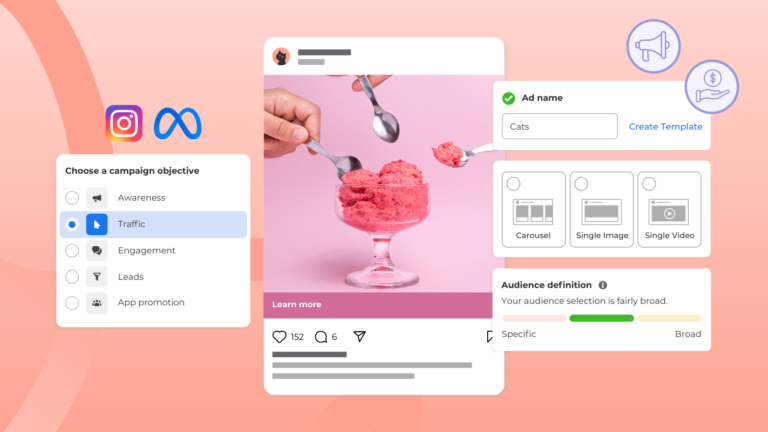
Step 3: Create a New Campaign
Click + New Campaign > Choose your goal (e.g., leads, website traffic, brand awareness) > Choose Video as the campaign type.
Step 4: Set Budget and Targeting
- Choose daily or total budget
- Set locations, languages, demographics, interests, keywords, or even specific channels/videos to target
Step 5: Upload or Choose Your Video Ad
Paste the link of your YouTube video you want to run as an ad. Add your final URL, headline, and call to action.
Step 6: Launch Your Campaign
Review everything and click Publish. Your ad will go through a short review process before going live.
Tips for Creating Great YouTube Ads
- Hook them in 5 seconds – Most viewers decide quickly whether they’ll watch or skip.
- Keep it clear and simple – Focus on one strong message.
- Use subtitles – Many users watch without sound.
- Always add a strong CTA – Tell them what to do next (visit website, sign up, etc.).
- Test multiple creatives – Run A/B tests to see what works best.
Final Thoughts
YouTube Ads in 2025 are not just for big brands — they’re a smart, affordable way for any business to connect with real people, drive traffic, and grow online. With the right strategy and video content, you can turn views into clicks and clicks into customers.